


Introduction to Android Unit Testing using Kotlin and JUnit

There is no doubt that one of the most important stages the application goes through during development is the testing phase in general. Where you discover errors and bugs before releasing your application. Perhaps the most important of these tests is the unit test.
It is used very often in Java, and it is used to check functions and ensure that they work perfectly. It can be used with Android since it relies on Java for its programming.
Let’s begin unit testing.
Create a new Android application using Android Studio
In Android Studio version 2.2 and higher, unit tests were added by default when creating a new app. We will find test codes in this path.
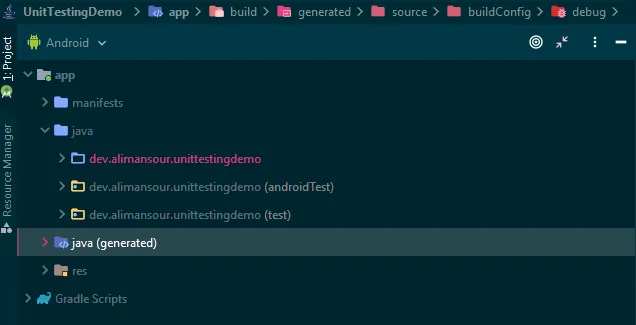
Create your first unit test
Now, after preparing the project for the tests, we will create our first test, but since the project is new, we need to write code to test it. We will create a simple calculator class, and we will test it.

class Calculator {
    fun sum(a: Double, b: Double): Double {
        return 0.0
    }

    fun subtract(a: Double, b: Double): Double {
        return a-b
    }

    fun divide(a: Double, b: Double): Double {
        return a/b
    }

    fun multiply(a: Double, b: Double): Double {
        return a*b
    }
}
Notice that all functions sum to return the value ‘0.0’. We will fix it, but now copy it and add it to your project.
Fortunately, Android Studio has a quick way to create a test class for this class of ours in simple steps. Just follow the pictures
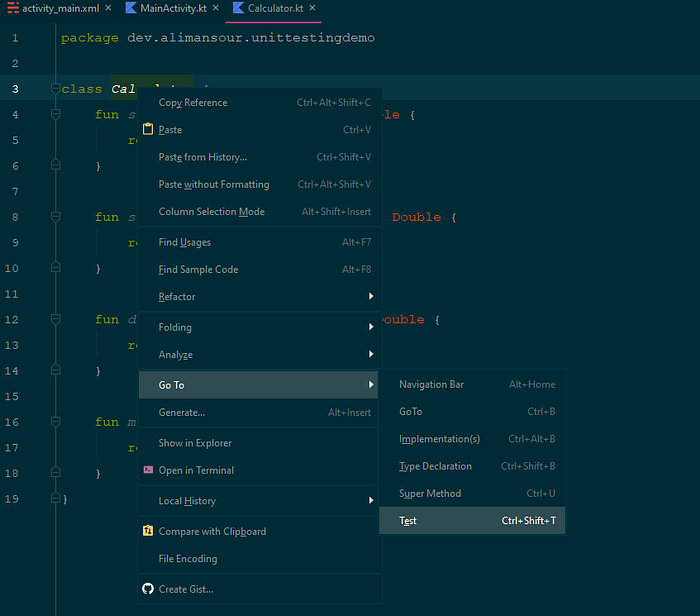
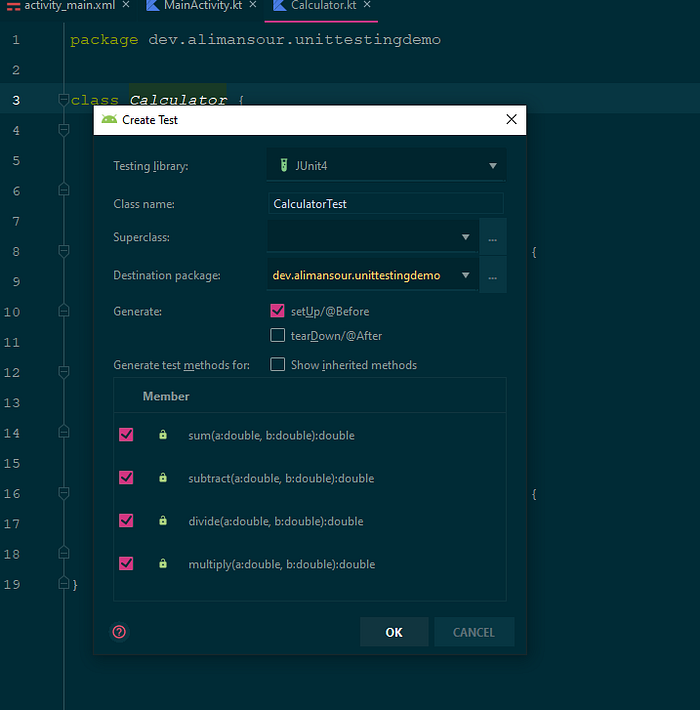
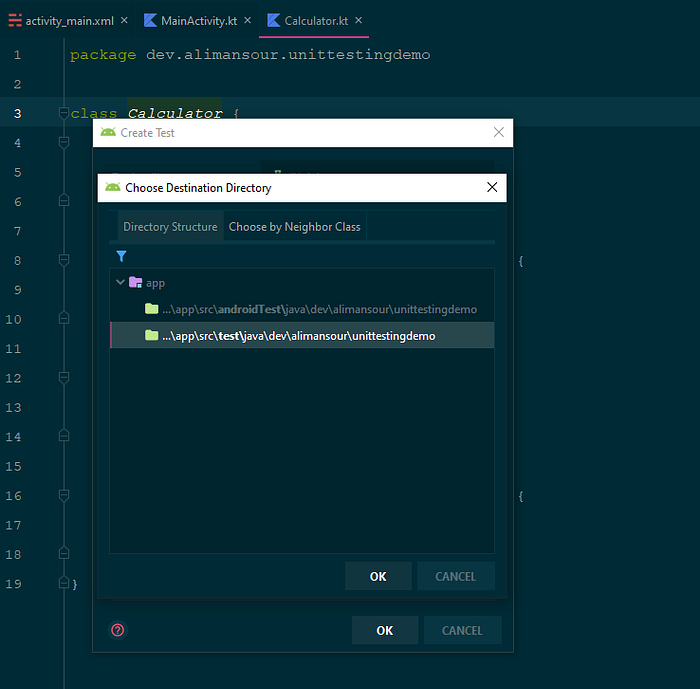
Android Studio will generate a new class and add it to the test path, and it looks like this:
import org.junit.Assert.assertEquals
import org.junit.Before
import org.junit.Test

class CalculatorTest {
    private lateinit var mCalculator: Calculator

    @Before
    fun setUp() {
        mCalculator = Calculator()
    }

    @Test
    fun sum() {
        assertEquals(6.0, mCalculator.sum(1.0, 5.0),0.0)
    }

    @Test
    fun subtract() {
        assertEquals(6.0, mCalculator.subtract(10.0, 4.0),0.0)
    }

    @Test
    fun divide() {
        assertEquals(2.0, mCalculator.divide(10.0, 5.0),0.0)
    }

    @Test
    fun multiply() {
        assertEquals(20.0,mCalculator.multiply(2.0,10.0),0.0)
    }
}
Note that in the first function, we add this line:
assertEquals(6.0, mCalculator.sum(1.0, 5.0),0.0)This function contains 3 variables: the first is the expected result, the second is the addition function, and the third is delta. When you add 1 + 5, the expected result is 6!
Run the test:
Right-click on the Class Test and choose Run Test, and Android Studio will perform the test, and the result will be 1 error for the first function (the sum function).
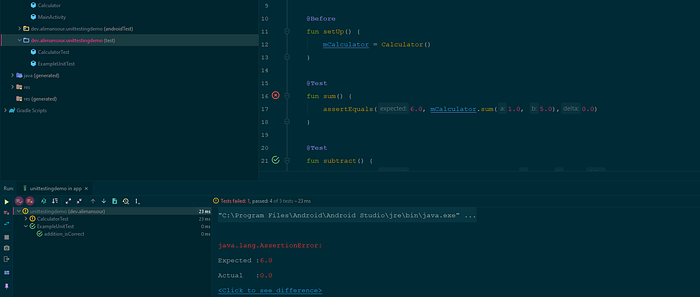
Now we will modify the sum function in the calculator class, and it will look like this:
fun sum(a: Double, b: Double): Double {
    return a+b
}
When running again, it will appear that there are no errors, and your application works.
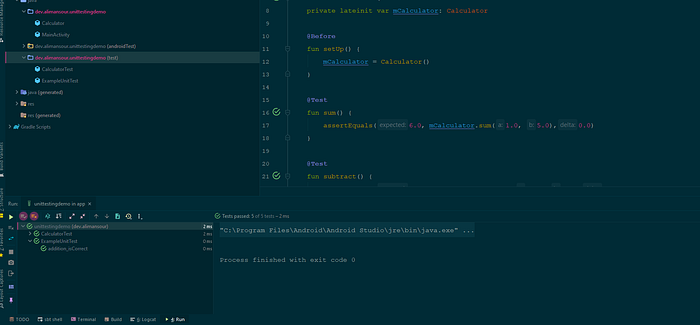
This was a unit test in a brief and easy way
You can find the source code of this example project on GitHub